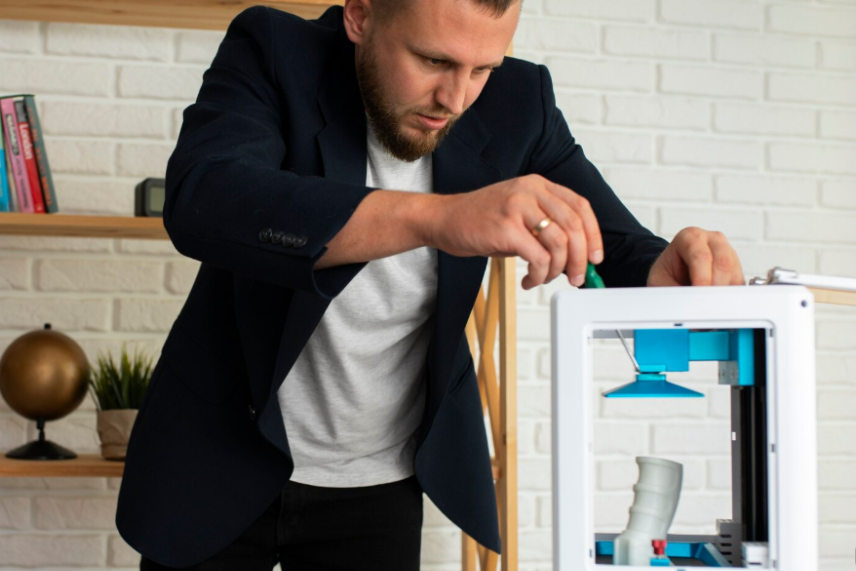
Discover Anycubic Kobra and Photon 3D printers for different projects and skill levels. Learn how to compare filament and resin printing, build volume, speed, resolution, materials, and accessories before choosing your setup
Anycubic focuses on desktop 3D printing and offers printers, materials, and supporting equipment through its online store. Its lineup includes filament 3D printers, resin 3D printers, printer bundles, filaments, resins, and Wash & Cure machines.
The brand's two main printer categories serve different purposes. Filament printers work well for functional parts, prototypes, larger models, and everyday creative projects. Resin printers are better suited to highly detailed models where fine features and surface quality matter.
This range means there is no single Anycubic printer that works best for everyone. The right choice depends on your projects, preferred materials, available workspace, and experience level.
Explore Anycubic 3D Printers
Kobra Series
The Kobra range focuses on filament-based 3D printing and includes models with different build volumes, speeds, and features.
For example, the Kobra X offers a 260 × 260 × 260 mm build volume and supports multicolor printing. The Kobra S1 uses a CoreXY design with a 250 × 250 × 250 mm build volume, while the Kobra S1 Max provides a larger 350 × 350 × 350 mm printing area.
Kobra printers can be a practical choice if you want one machine for a variety of models, functional parts, prototypes, and creative projects.
Photon Series
Photon printers use resin to produce highly detailed models. This makes the range especially interesting for miniatures, decorative pieces, detailed prototypes, and other projects where precision matters.
The lineup includes models such as the Photon P1, Photon P1 Max, Photon Mono M7, Photon Mono M7 Pro, and Photon Mono 4 Ultra. Build volume and resolution vary between models, so it is worth checking the specifications before choosing one.
Resin printing does require additional workflow steps, including cleaning and curing, but the detailed results can make the extra process worthwhile for the right projects.
Choosing Between Filament and Resin
The biggest decision is often the printing technology itself.
| Feature | Filament Printing | Resin Printing |
|---|---|---|
| Best for | Functional parts and larger models | Detailed models and miniatures |
| Material | Filament | Liquid resin |
| Typical strength | Good for practical projects | Excellent detail and surface finish |
| Workflow | Generally straightforward | Requires cleaning and curing |
| Ideal users | Beginners, makers, hobbyists | Detail-focused creators |
If you mainly want to print useful household parts, prototypes, or larger objects, a Kobra filament printer may make more sense. If your priority is intricate detail, a Photon resin printer may be the better fit.
Materials and Accessories
Your printer is only one part of the setup. Anycubic also provides materials and accessories that can support different printing workflows.
Its filament selection includes options such as PLA, PETG, TPU, and composite materials. The brand also offers different resin formulations for users who want to explore detailed resin printing.
For resin users, a Wash & Cure machine can simplify post-processing. Anycubic offers models such as the Wash & Cure 3, Wash & Cure 3 Plus, and Wash & Cure 3 Max, with different capacities to suit different workflows.
When selecting materials, always check the printer's compatibility and recommended settings. Using the right material for the intended project can have a noticeable effect on print quality and reliability.
What to Consider Before Buying
A higher-priced or faster printer is not automatically the right choice. Start with your actual printing needs and then compare specifications.
Consider these factors:
-
Build volume: Choose a size that comfortably handles the models you plan to print.
-
Print technology: Decide between filament and resin based on the type of results you need.
-
Speed: Faster printing can help when producing multiple or larger parts.
-
Resolution: Higher detail matters more for miniatures and intricate designs.
-
Material support: Check which filaments or resins are compatible with the printer.
-
Workspace: Remember to allow room for the printer and any supporting equipment.
-
Maintenance: Consider how much time you want to spend cleaning, calibrating, and maintaining the machine.
It is also useful to think about how your interests might develop. A printer that meets your current needs while leaving room to experiment can offer better long-term value.
Tips for a Better Anycubic Setup
You do not need the most advanced printer to get started. A good setup begins with choosing equipment that matches your projects.
Keep these practical tips in mind:
-
Read the manufacturer's setup and maintenance instructions.
-
Start with recommended material settings before experimenting.
-
Store filament properly when it is not being used.
-
Keep your printing area clean and organized.
-
Allow enough space for post-processing if you use resin.
-
Compare current specifications before purchasing, as features can differ between models.
FAQs
Is Anycubic suitable for beginners?
Yes. Anycubic offers a range of desktop printers with different features and price points. Beginners should focus on ease of use, intended projects, material requirements, and available workspace when choosing a model.
What is the difference between Anycubic Kobra and Photon printers?
Kobra printers primarily use filament, making them suitable for versatile and functional printing. Photon printers use resin and focus more on detailed models and fine surface features.
Should I choose filament or resin printing?
Choose filament if you want versatile printing for functional parts, larger models, or general projects. Resin is better when fine detail and surface quality are your main priorities.
Do I need a Wash & Cure machine for resin printing?
A Wash & Cure machine is not essential to the printer itself, but it can make the cleaning and curing stages of resin printing more convenient. The right setup depends on how frequently you plan to print with resin.
Anycubic gives shoppers plenty of flexibility, whether they want to explore everyday filament printing or create highly detailed resin models. The best choice comes down to your projects, preferred materials, required build volume, and desired level of detail. Compare those factors first, then choose the printer and accessories that fit your workflow rather than simply selecting the most advanced option.
For more Home And Tech tips, check out BuyMeDeal.